
01 · Scan the room
Show Moppy the mess
Point the camera at any room, as it is, no tidying first. Pick the room type, tap once, or choose a photo from your gallery.

A house cleaning schedule with a friend inside. Snap a messy room, get tiny timed steps, and clean it together with Moppy, one small thing a day.



What Moppy does
01 · Scan the room
Point the camera at any room, as it is, no tidying first. Pick the room type, tap once, or choose a photo from your gallery.
02 · Moppy looks
Take one photo of any room. Moppy finds the dishes, the trash and the cluttered counter, and puts a number and a time on each.

03 · Tiny steps
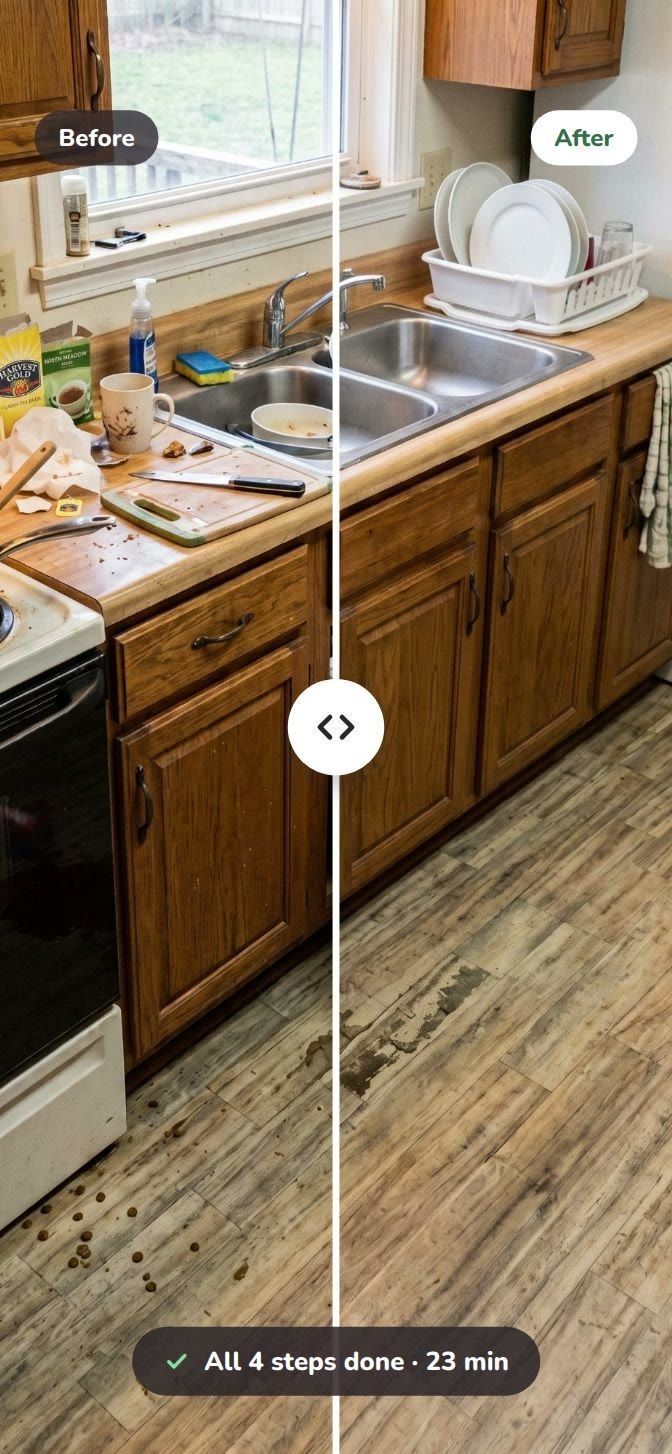
A whole room becomes a short list: about 23 minutes in total, each step between 2 and 10. Start anywhere, stop anytime.

04 · Clean together
A gentle timer runs, Moppy works right beside you, and one tap marks the step done. No pressure, no lost place.

05 · Every day
One small thing today, picked for you. Your week fills up one tiny day at a time, and missed days never shout at you.

06 · Reminders
Home Screen and Lock Screen widgets show today’s step and how far you got, so you never have to open the app to remember.

07 · Dark mode
Late-evening tidy? Moppy switches to a soft dark theme with the same warm colours and the same friend.


Contact
A question, an idea or something that didn’t work? A real person reads every message and replies within two working days.
Or email hello@moppyapp.com
Thanks, it’s on its way.
We’ll reply to your email within two working days.